> ## Documentation Index
> Fetch the complete documentation index at: https://docs.mudstack.com/llms.txt
> Use this file to discover all available pages before exploring further.
# Notifications
> Get notified about important activity in your account.
## Real-time Notifications
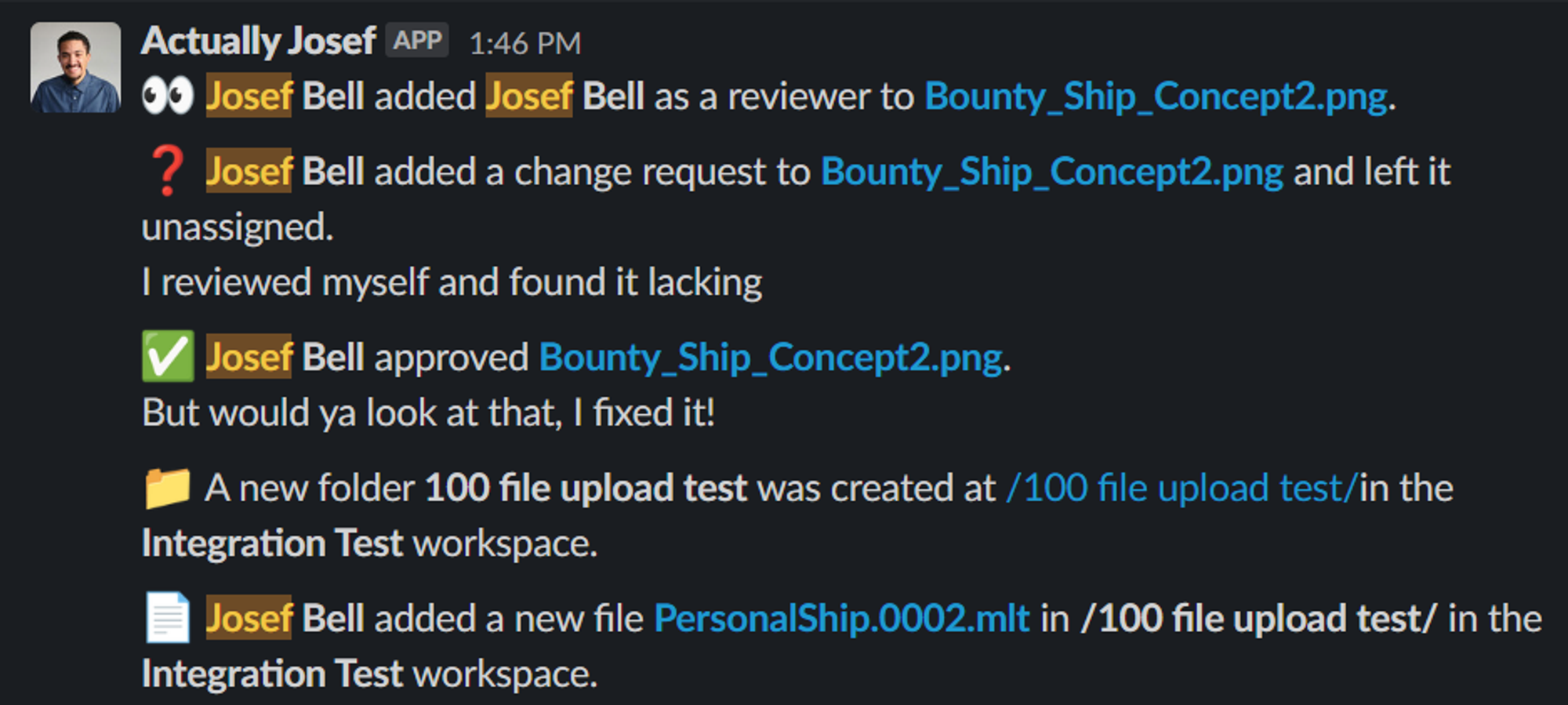
Mudstack offers a Slack webhook integration that allows you to send real-time event activity for a Mudstack Workspace to a selected Slack channel. A Discord integration is currently planned.
### Slack Integration
 We recommend selecting or creating one Slack channel per Mudstack workspace
that you would like to set up real-time notifications for.
Events that generate a notification include:
**Files**
* Add file
* Add file version
**Workspace**
* Create Folder
* Create library
* Create tag
**Review & Feedback**
* Change request
* Approval
* Review request
* New comment
### Setting it up
1. Create an app for your Slack workspace [here](https://api.slack.com/apps). You need to be a Slack account admin to do this.
We recommend selecting or creating one Slack channel per Mudstack workspace
that you would like to set up real-time notifications for.
Events that generate a notification include:
**Files**
* Add file
* Add file version
**Workspace**
* Create Folder
* Create library
* Create tag
**Review & Feedback**
* Change request
* Approval
* Review request
* New comment
### Setting it up
1. Create an app for your Slack workspace [here](https://api.slack.com/apps). You need to be a Slack account admin to do this.
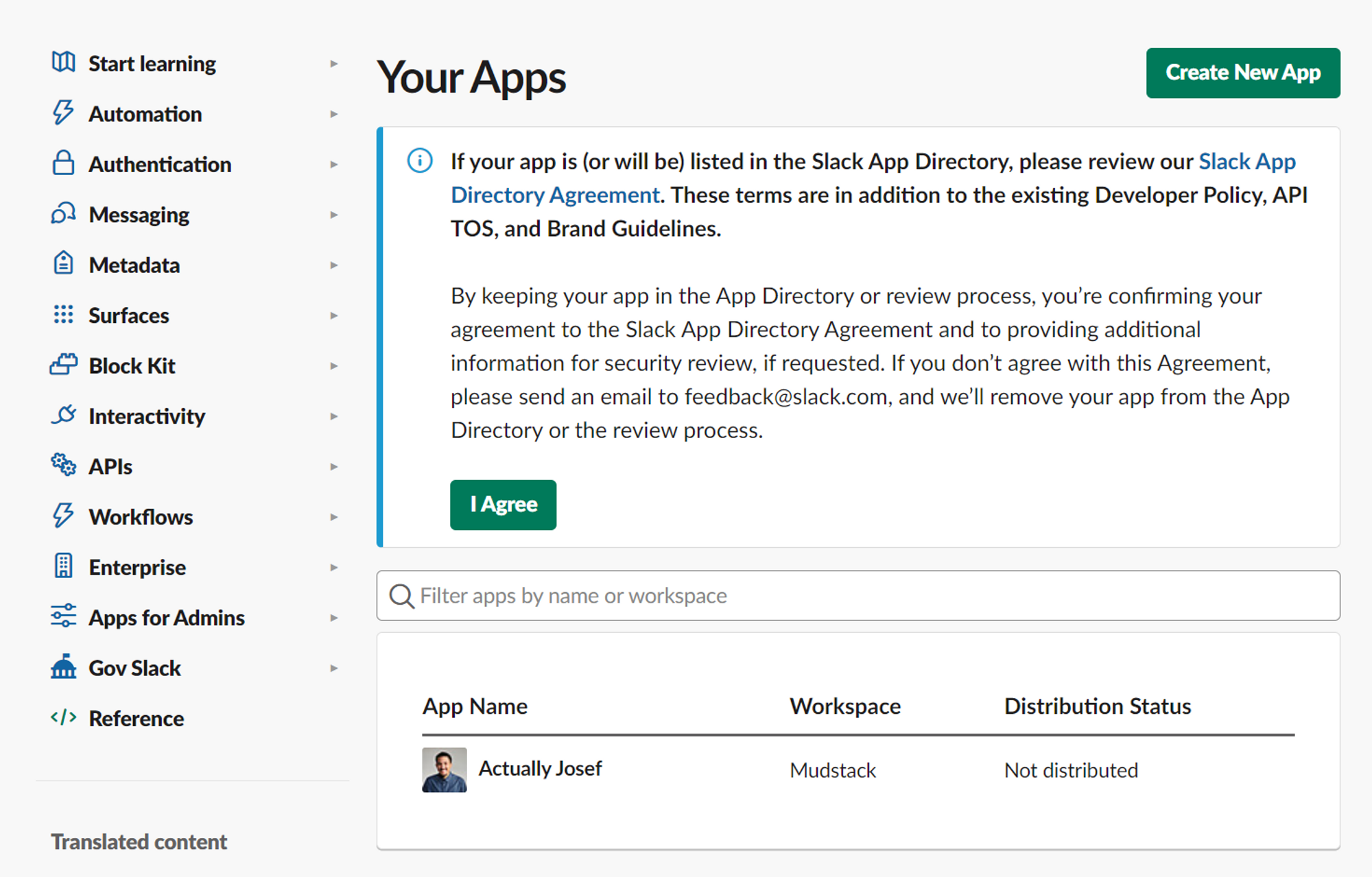 2. Select a channel to send the messages to.
3. Get the webhook URL of the bot (click the `Copy` button) and email it to us at [support@mudstack.com](mailto:support@mudstack.com) and we can finish the setup.
2. Select a channel to send the messages to.
3. Get the webhook URL of the bot (click the `Copy` button) and email it to us at [support@mudstack.com](mailto:support@mudstack.com) and we can finish the setup.
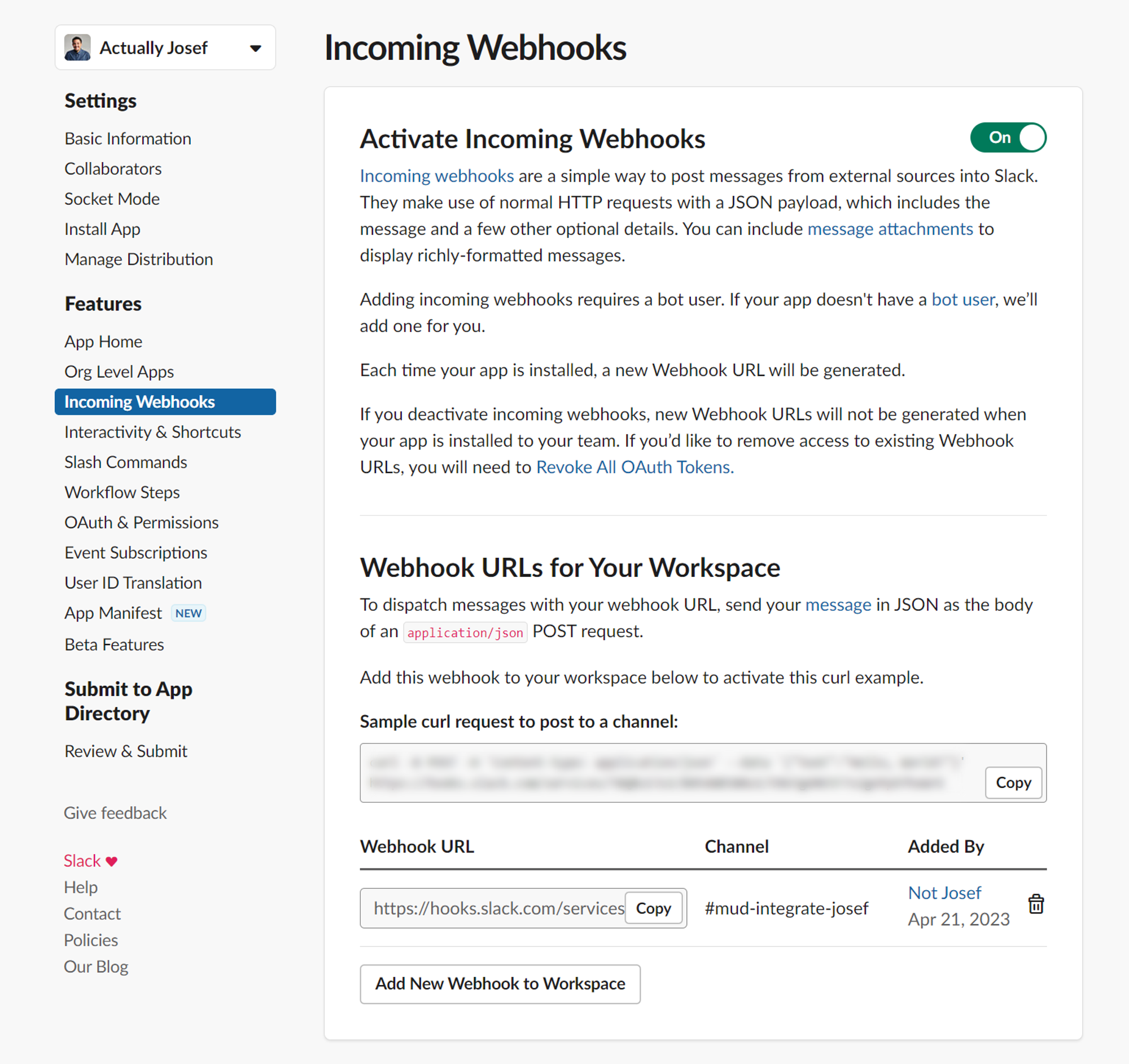 For each new channel you want to send notifications to, you need a separate
webhook URL. Click the `Add New Webhook to Workspace` button and send
it to us to finish set up.
`mudstack Workspace 1 → Slack channel 1 = Webhook URL 1`
`mudstack Workspace 2 → Slack channel 2 = Webhook URL 2`
## Other Integrations
Use our [webhooks](/api-reference/webhooks) and [API](/api-reference/getting-started) to build out the messages to task management apps, chat apps and more!
For each new channel you want to send notifications to, you need a separate
webhook URL. Click the `Add New Webhook to Workspace` button and send
it to us to finish set up.
`mudstack Workspace 1 → Slack channel 1 = Webhook URL 1`
`mudstack Workspace 2 → Slack channel 2 = Webhook URL 2`
## Other Integrations
Use our [webhooks](/api-reference/webhooks) and [API](/api-reference/getting-started) to build out the messages to task management apps, chat apps and more!